Issue level
Open it from an issue's ••• (more actions) menu → Integration Helper.
What it shows
- Every field's current value and its raw REST representation.
- The field's REST key and schema type.
- The effective edit contract: which fields are editable right now, their required/operations and allowed values, reflecting the issue's actual status, screen and the current user's permissions.
- For a Jira Service Management request (when JSM is installed and the issue is a request):
- SLA status.
- Approvals and participants.
- Request status history.
A regular Jira issue and a JSM request show different data.
On a Jira software issue, the app opens with just the Fields and Edit Contract tabs:
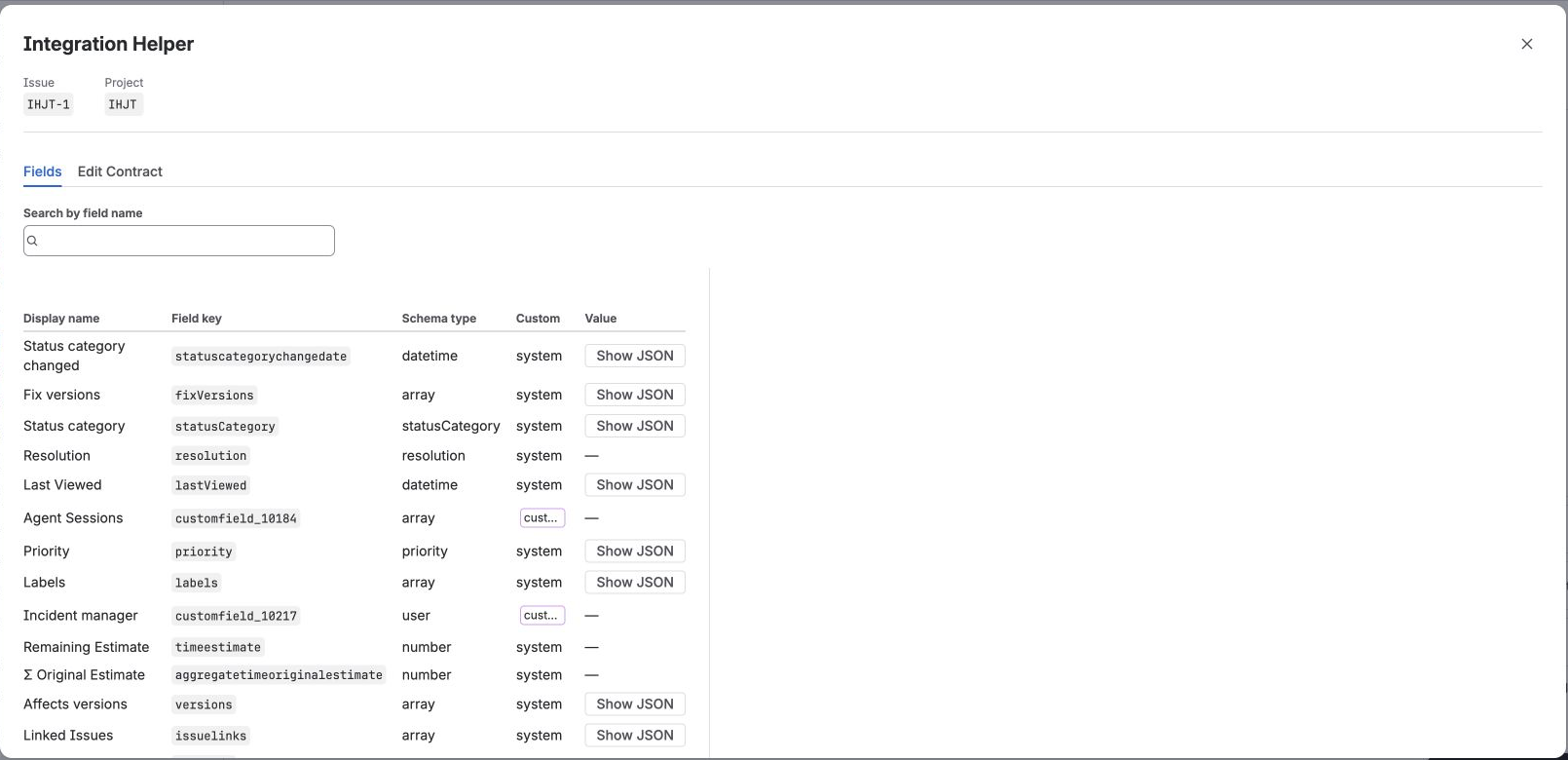
Fields tab of a Jira software issue — each field's display name, REST key, schema type and current value.
On a JSM request, three more tabs appear — SLA, Approvals & Participants and Request Status:
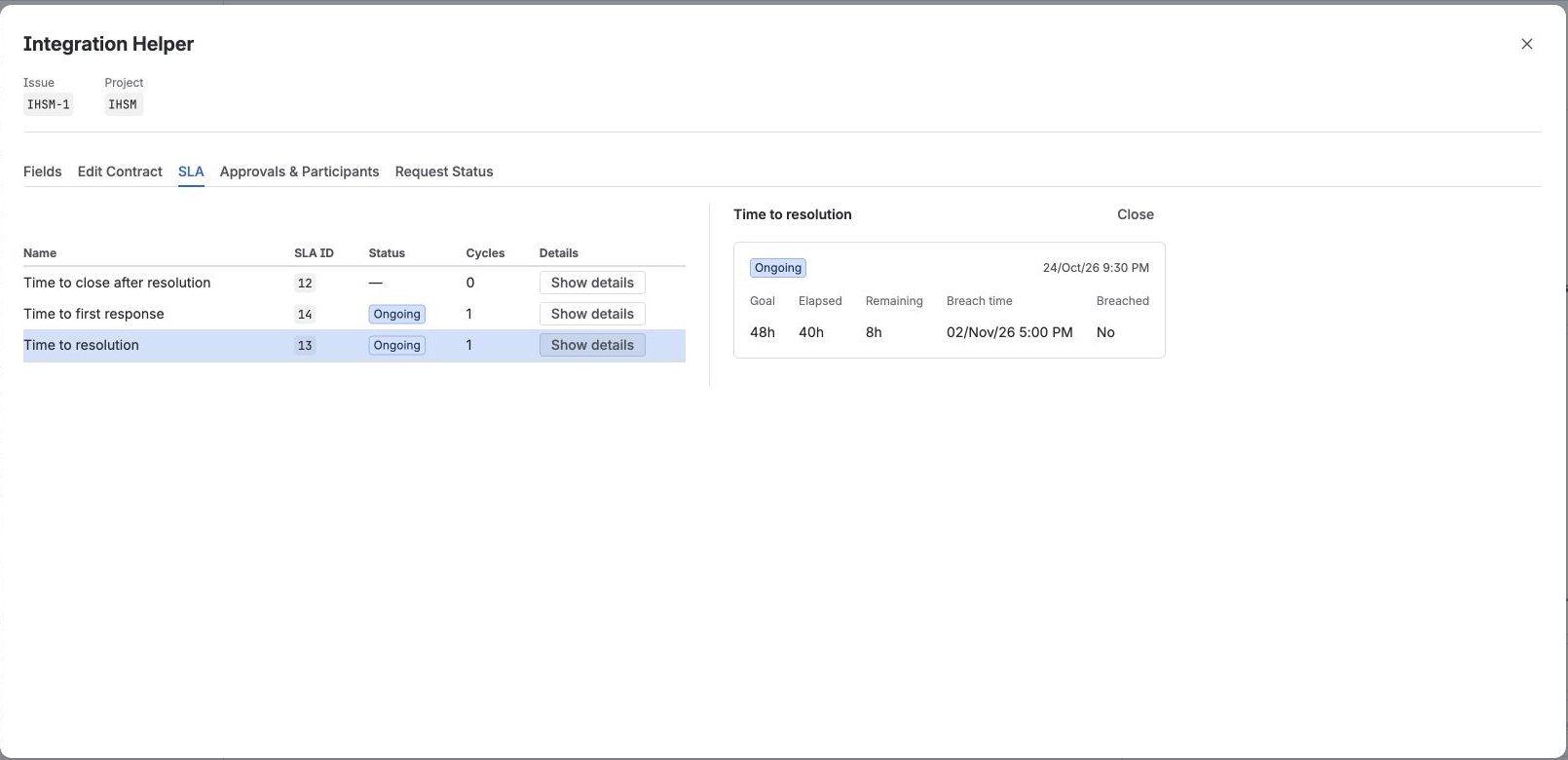
SLA tab of a JSM request, with live time-to-first-response and time-to-resolution countdowns.
Who can see it
Jira administrators, and administrators of the project the issue belongs to. See Access model for the full access table — being admitted to this surface does not widen what Jira/JSM data is actually visible; every underlying call is still enforced by the Atlassian platform against the current user's real permissions.