Project level
Open it from Project settings → Apps → Integration Helper, on the project you want to inspect. Everything on this surface is scoped to that one project.
What it shows
- Issue types and their create/edit/transition field contracts.
- Workflow scheme and workflow transitions, including each transition's screen fields.
- Components and versions.
- Roles, their members, and security levels.
- Jira Software boards and sprints, where the project is a software project.
- For Jira Service Management projects: request types, queues, organizations and knowledge base search.
This is also where the Project LLM Context Markdown export is generated.
What's shown depends on the project type — a Jira software project and a JSM project surface different tabs.
On a Jira software project, the tab bar covers Issue types, Issue Contracts, Components, Versions, Roles, Security Levels, Boards and LLM Context:
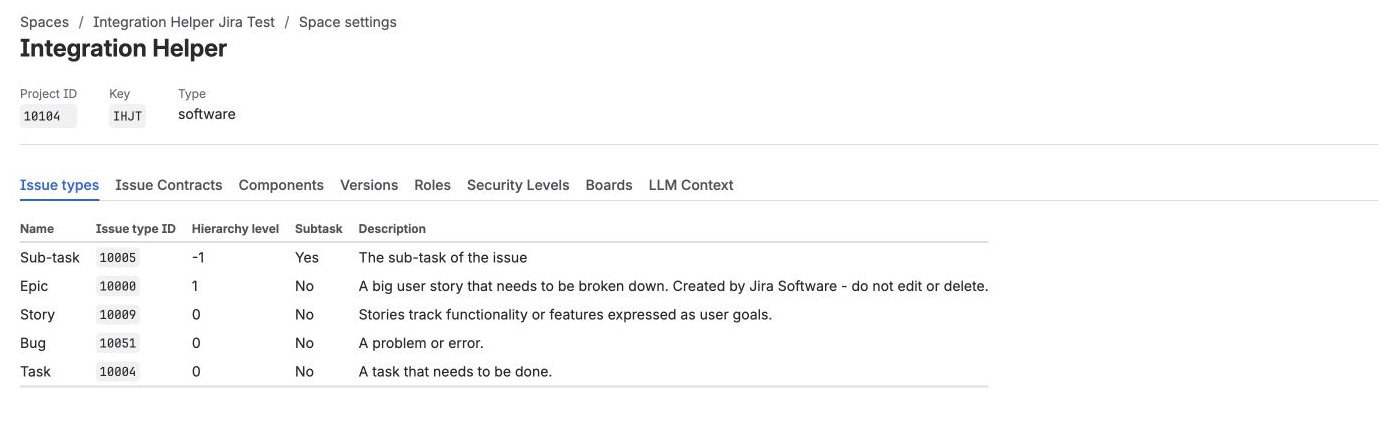
Jira software project — Boards appears, but there's no Request Types/Queues/Organizations/Knowledge Base.
On a Jira Service Management project, Boards is replaced by the JSM-specific tabs — Request Types, Queues, Organizations and Knowledge Base:
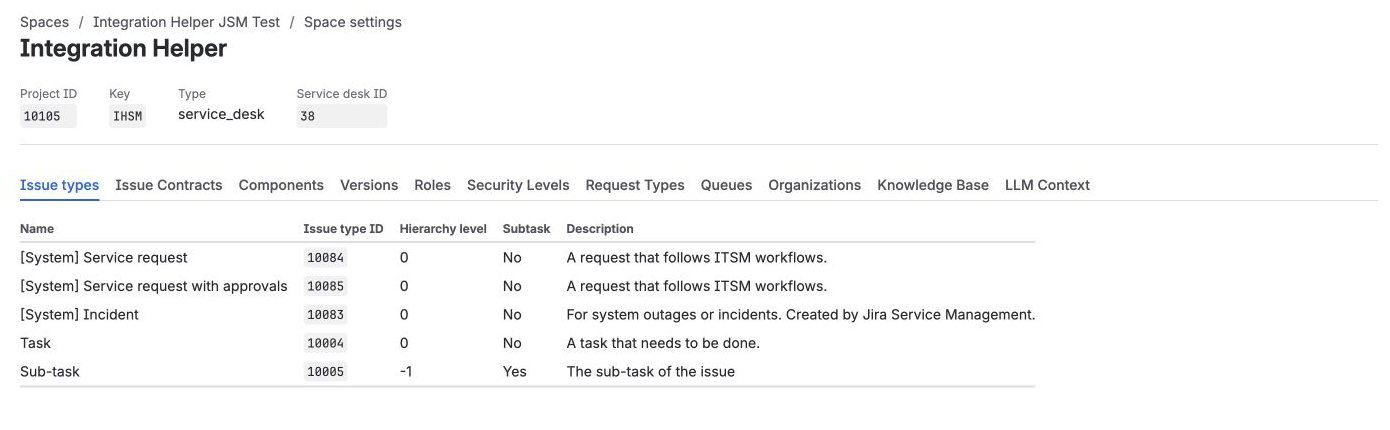
JSM project — the same common tabs, plus Request Types, Queues, Organizations and Knowledge Base instead of Boards.
Who can see it
Jira administrators, and administrators of this specific project. See Access model for the full access table.